

Live Running daily at Farm & Forest Resort, Shivapuri
Run your whole resort from one place.
Bookings, the room board, staff tasks, room service and the daily closing count, built around WhatsApp, FonePay and Nepali rupees.
Built for properties like
- Mountain lodges
- Riverside camps
- Hillside resorts
- Valley retreats
- Boutique inns
- Lakeside resorts
Built around the way Nepali resorts already work
- FonePay
- Bank QR
- Nepali rupees
- CSV import
- Any phone
Everything the front desk runs on.
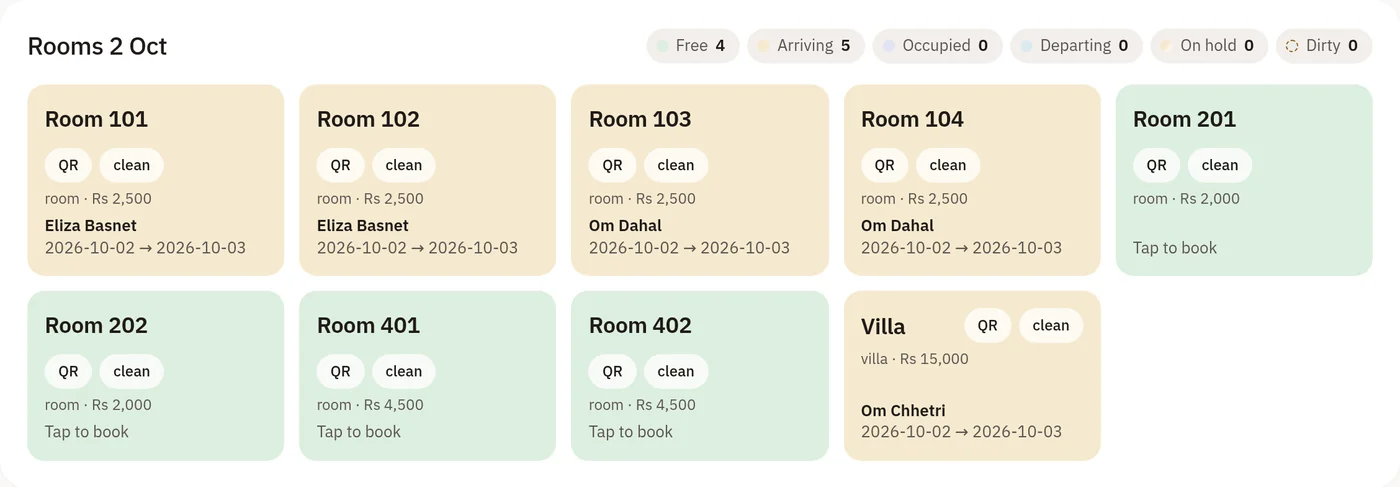
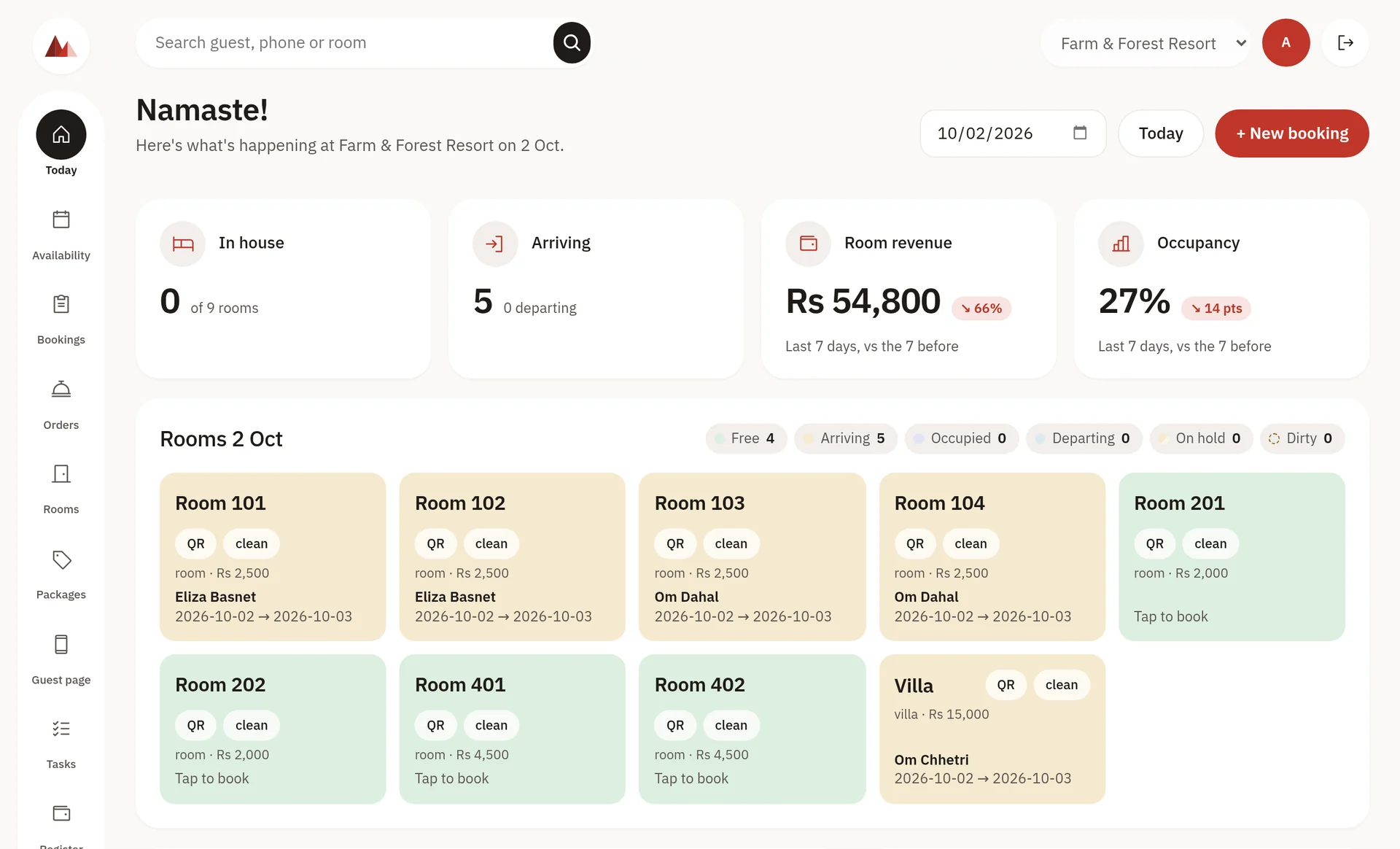
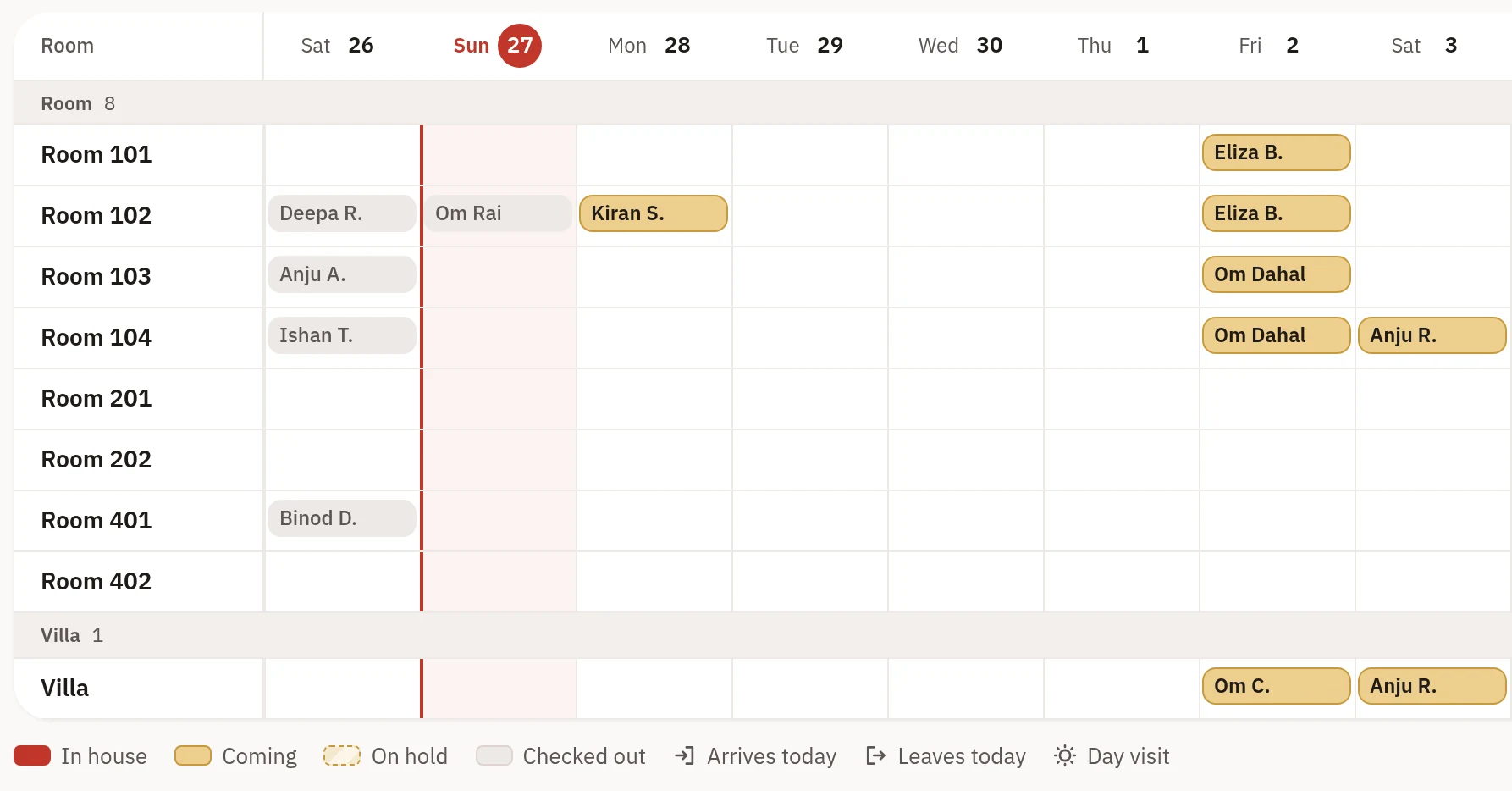
Every screen below is the real product, running at Farm & Forest Resort today.
Room service, straight to the room bill.
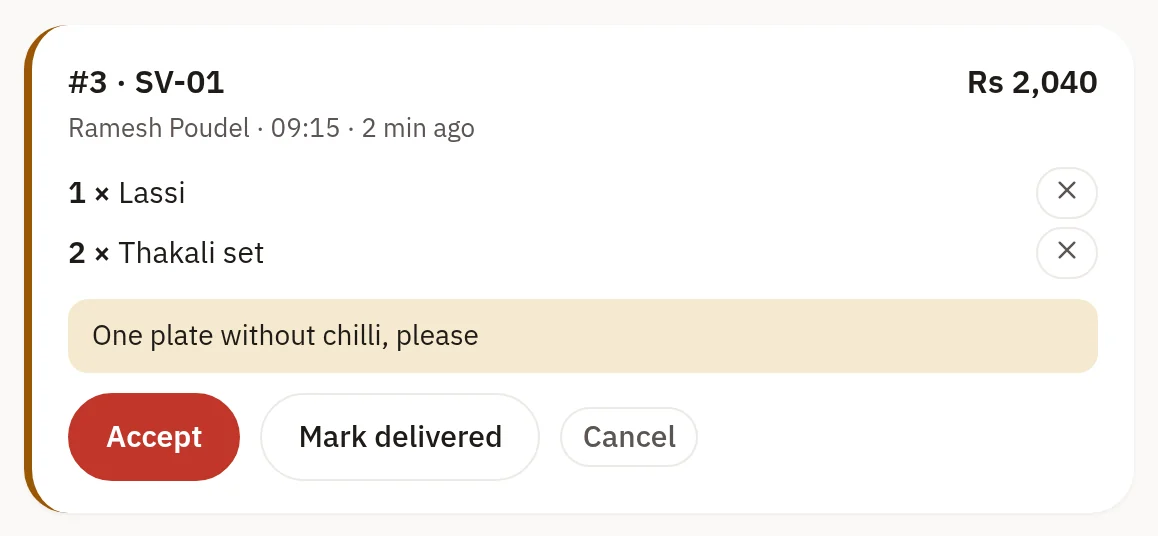
Guests order from the menu behind their room's QR code. The kitchen accepts it, and it's paid once, at check-out.
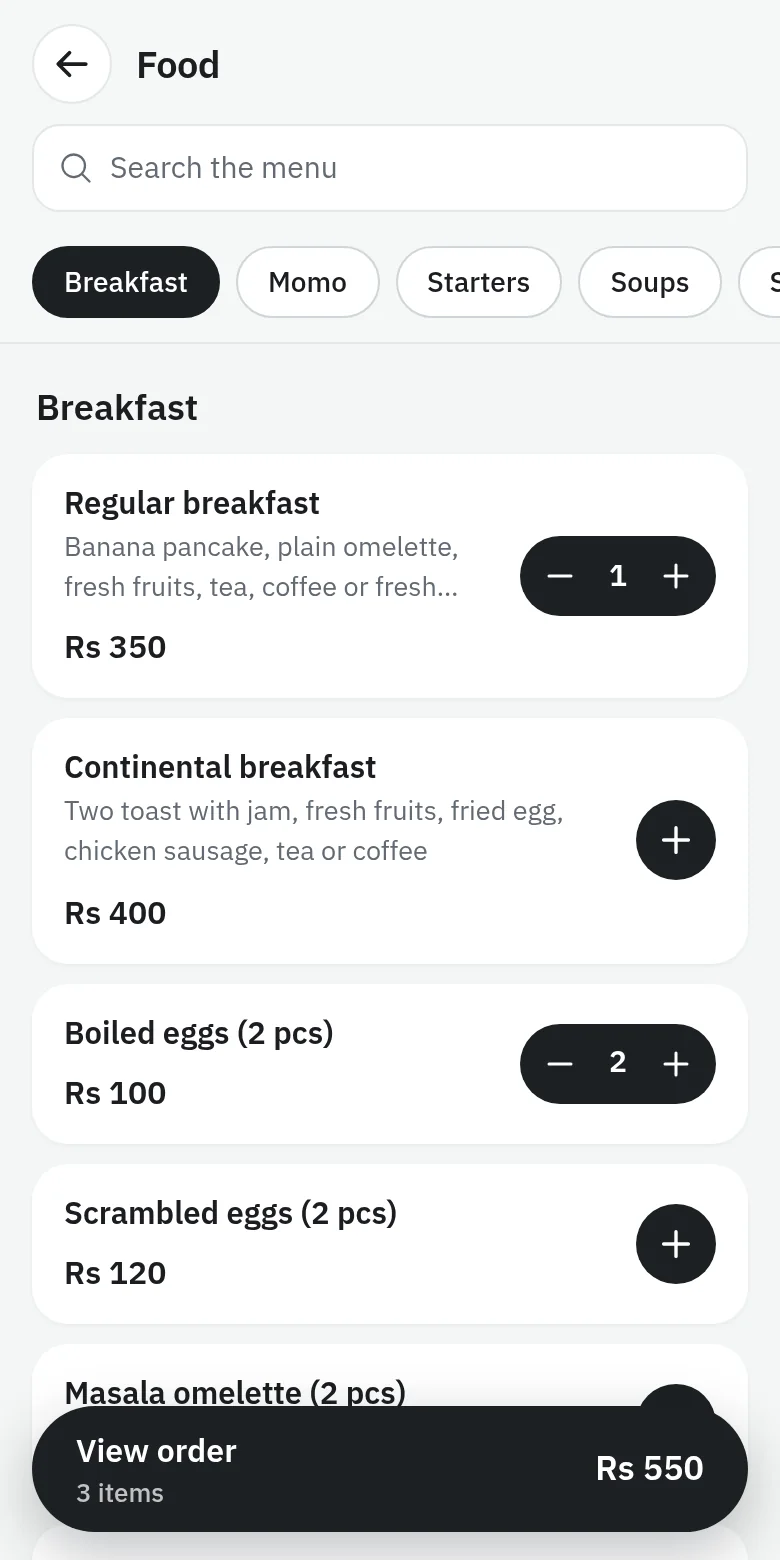
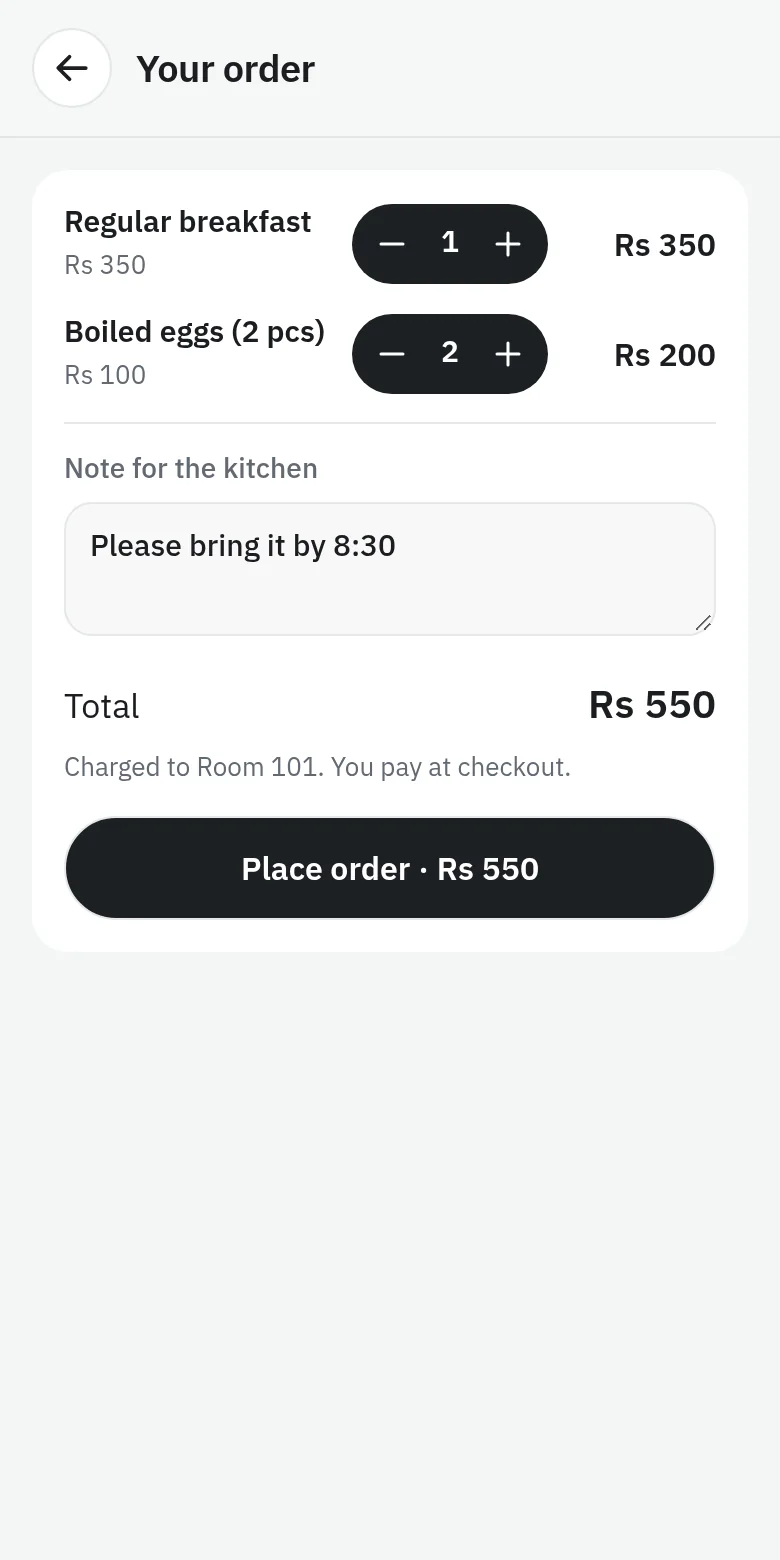
Ordered from the room
Every dish with a price gets an add button. No app and no login, in English or Nepali, with a note for the kitchen.
Accepted by your staff
New orders appear on the Orders screen with a chime. Nothing reaches the bill until someone accepts it, and the guest sees each step.
Paid once, at check-out
Accepted orders add to the stay's balance, so the money is counted once, in the closing register, when the guest pays.

From first booking to closed books.
One day at the front desk, without the group chats and the paper register.
Take the booking
Walk-in, phone or online. The room is held and the rate locks the moment it's saved.
Run the day
Staff get tasks by zone and tick them off from their own phones. The room board updates as rooms turn over.
Welcome the guest
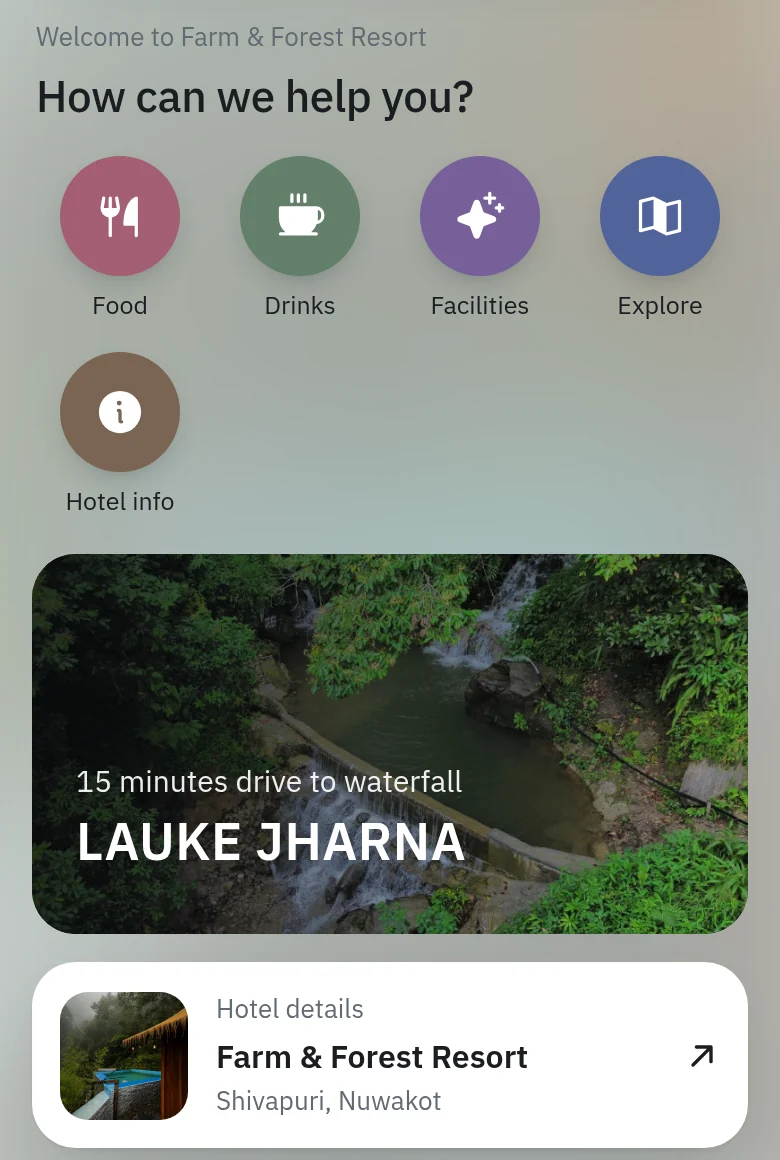
Guests send their details and ID and sign your house rules online before they arrive. In the room, a QR code opens their own page with Wi-Fi, check-out time and the menu.
Close the register
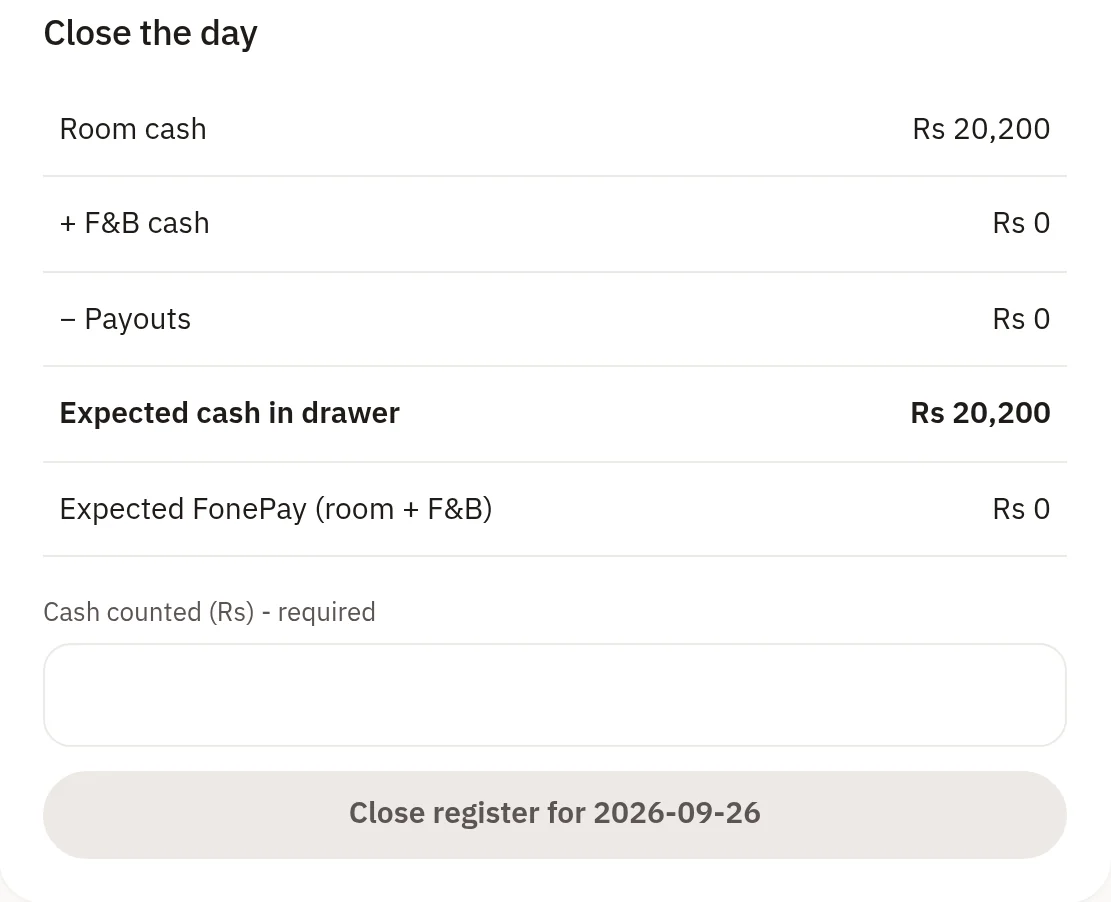
Count the drawer, reconcile FonePay and bank QR, and lock the day. Tomorrow starts from numbers you trust.
Choose your plan.
Priced in Nepali rupees, per property, per year. Start with 14 days free.
14 days
Every feature, on your own property. No card needed.
Start 14-day free trial- Everything in Growth, for any number of rooms
- Set up your rooms and staff yourself, or with our help on WhatsApp
- Your bookings and records stay when you choose a plan
Rs 8,000 per year
The front desk, for up to 15 rooms.
- Room board, bookings and availability
- Guest ID upload on every booking
- Closing register with FonePay and bank QR
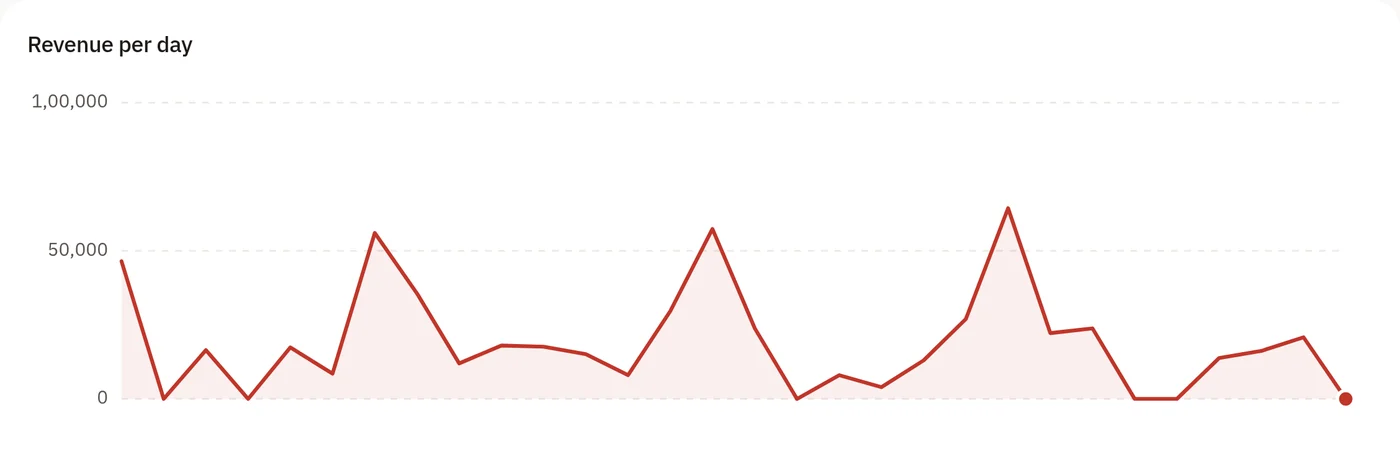
- F&B daily totals, typed or imported
- Staff tasks, roles and reports
Rs 18,000 per year
Everything in Starter, for any number of rooms, plus the guest side.
- Everything in Starter, with no room limit
- Atithi guest pages in English and Nepali
- Online check-in with guest IDs
- Room service to the room bill
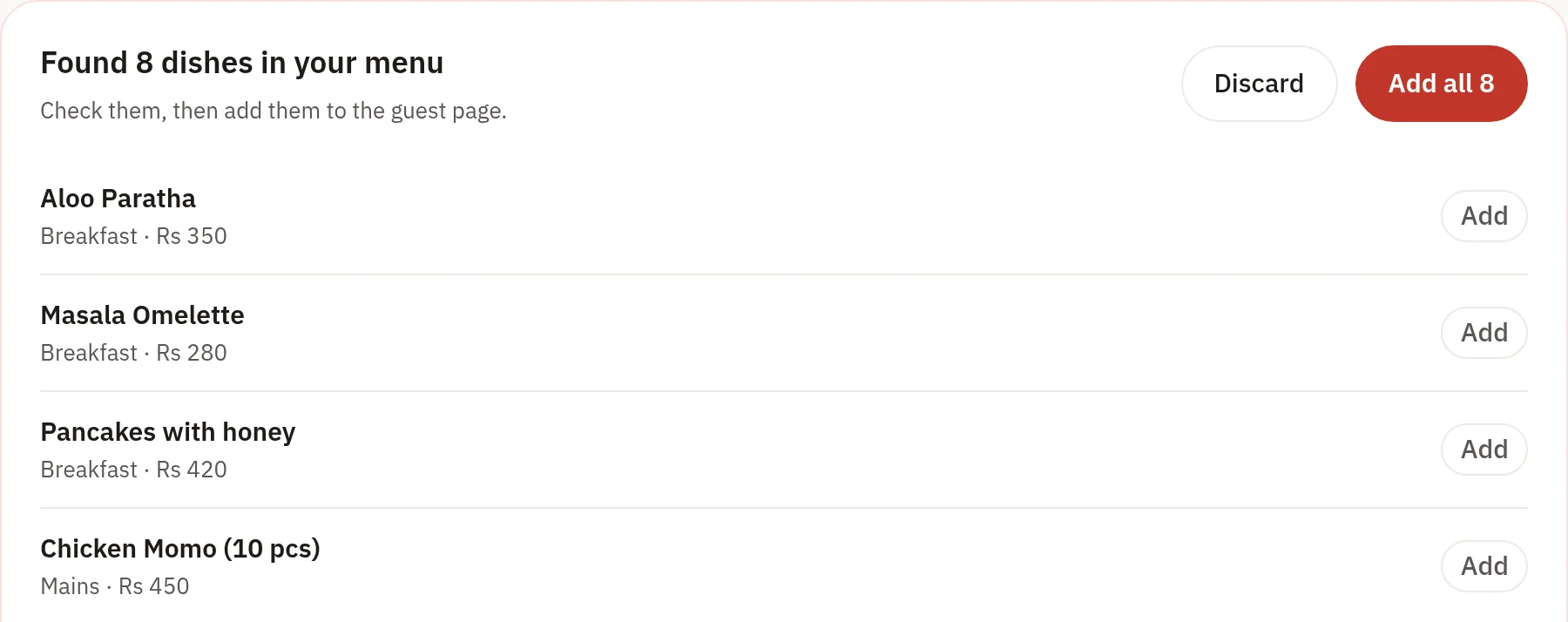
- Menu from a photo or PDF
- Occupancy, ADR and RevPAR
Built by someone who runs a resort.
“I built this to fix my own chaos first. Every screen has been used on a real property, with real guests, before it was anything else.”The founderFarm & Forest Resort, Shivapuri
Coming soon
Testimonial to be added
Coming soon
Testimonial to be added
Frequently asked questions.
Do my guests need to download an app?
No. A QR code in the room opens Atithi, a personal page with check-out time, Wi-Fi, house rules, your menu and a WhatsApp button to the front desk. Guests can order to the room from it too. They don't download anything or create an account.
Does it work with FonePay and bank QR payments?
Yes. The closing register reconciles room cash, F&B cash, payouts, FonePay and bank transfers every evening, flags any variance, and locks the day once it's closed.
Can guests order food to their room?
Yes. Guests who are checked in order from the menu on their room's page. The order appears on your staff's Orders screen, and once someone accepts it, it goes on the room bill to be paid at check-out. Guests see when it's accepted, being prepared and delivered.
Do I have to type in my whole menu?
No. Upload a photo or a PDF of your printed menu and Yatraax reads the dishes, categories and prices for you. You check the list, then add it in one go. Drinks go to the drinks menu, and dishes you already have are skipped.
Is there a point-of-sale for the restaurant?
Not for walk-in restaurant sales yet. Room-service orders are handled in Yatraax and go on the room bill. For the restaurant, you enter or import (CSV) each outlet's daily total, and it flows into the closing register with everything else.
Why not just use Cloudbeds or Mews?
They're good products, but they're priced and billed in US dollars, don't reconcile FonePay or Nepali bank QR, and assume staff and guests live in an app. Yatraax is priced in rupees, built around WhatsApp, and supported by someone who runs a resort too.
How does the free trial work?
Sign up with your email and you're in straight away, with every feature free for 14 days and no card needed. Add your rooms and staff yourself, or message us on WhatsApp and we'll help you set up. When the trial ends, choose Starter or Growth; everything you've entered stays.